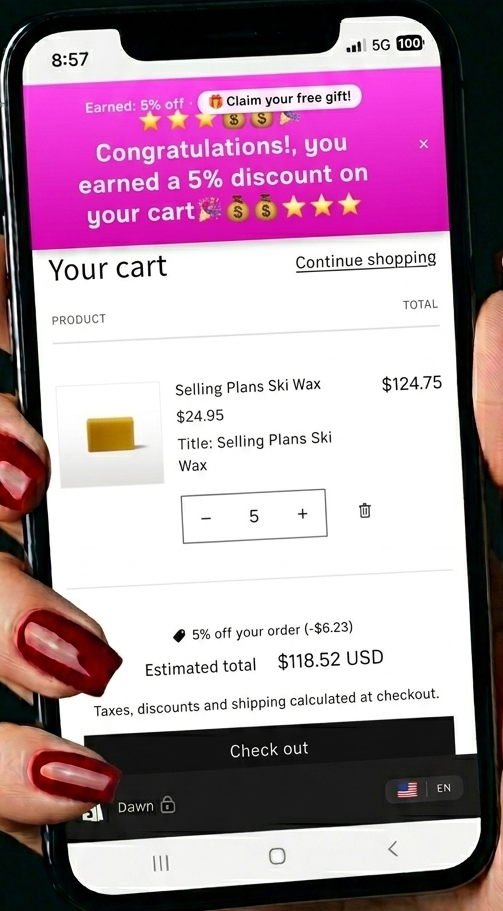
Add Sam to your store
Install Sam — Cart Offers & Rewards from the Shopify App Store. Shopify walks you through the permissions and drops Sam straight into your admin under Apps.
There's nothing to download or host — Sam runs inside your Shopify admin.

Turn on the storefront banner
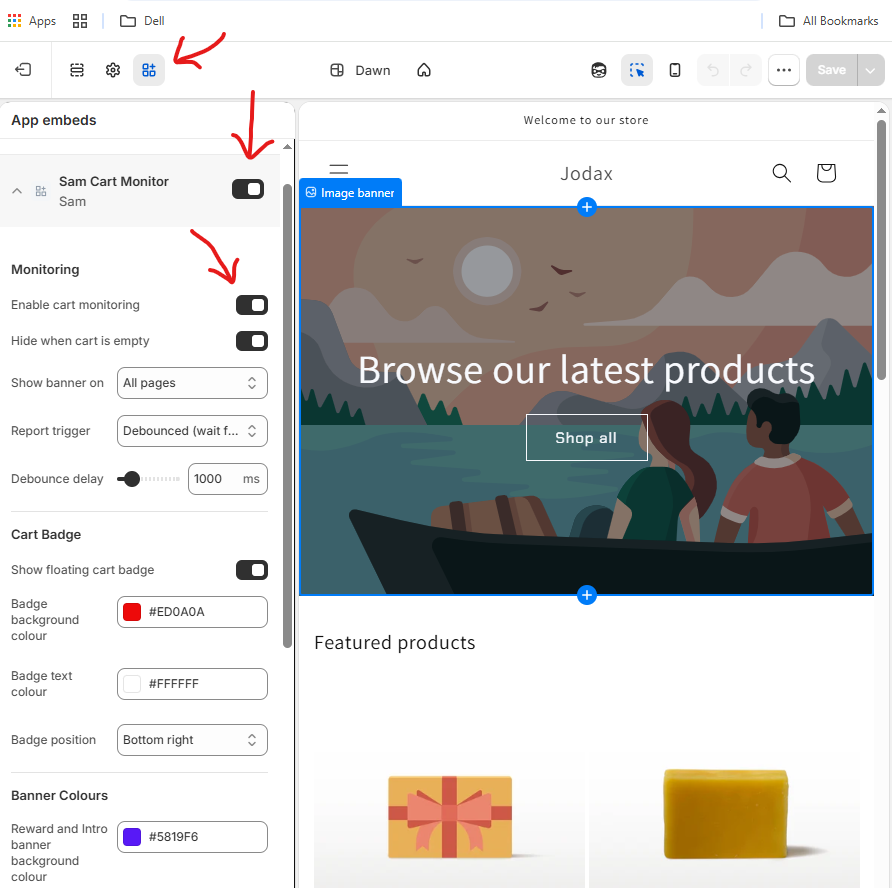
Sam's banner is a theme app embed — it lives in your theme so it can appear on your storefront. Go to Online Store → Themes → Customize, open App embeds, and switch on Sam Cart Monitor.
That's the one switch that lets shoppers see your offers. From here you can also choose which pages the banner shows on and how it behaves.
Create your first offer
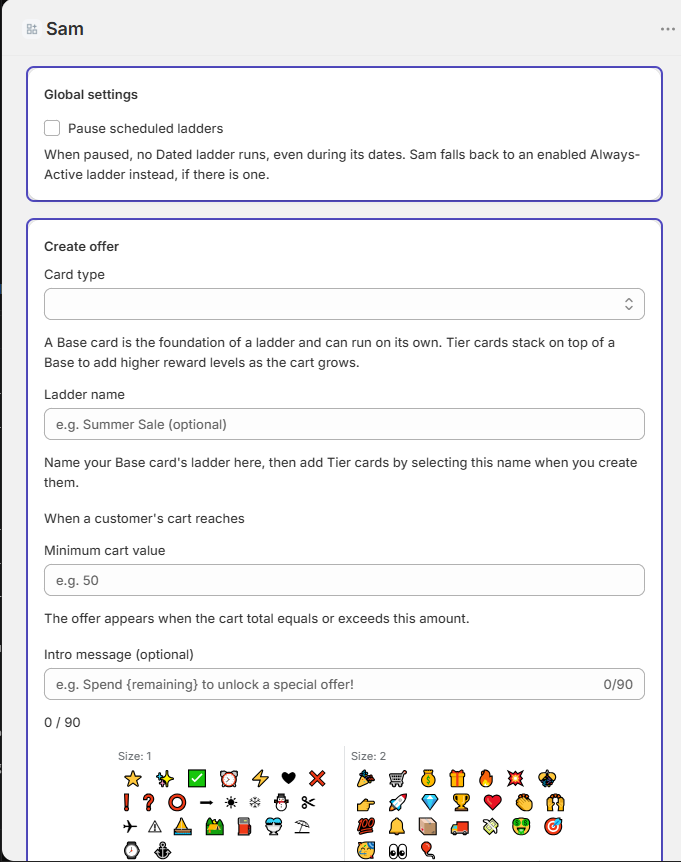
Open Sam → Sam Settings in your admin. Set a spending threshold (say, $75), choose the reward it unlocks (a percentage off, a fixed amount, free shipping, or — on Sam Gold — a free gift), and write the messages shoppers will see.
Sam gives you a preview frame to view and tweak your wording, with three message states: an intro, a "you're getting close" teaser, and the reward message once they qualify. Add emoji, set your colours, and it's ready.
Save, then switch it on
Hit Save offer, then scroll down and enable the card. New cards are created disabled by default — so building one never accidentally takes over from an offer you may already have running. Flip it on when you're ready, and it goes live.
Once enabled, shoppers see the banner, watch their progress toward the reward, and when they reach the threshold, Sam applies the discount automatically at checkout. No discount codes to hand out, and no separate Shopify discount to set up — Sam does it for you.